RTX 4050 vs RTX 4060 Laptop Comparison – Which GPU is Better in 2026?

RTX 4050 vs RTX 4060 Laptop Comparison – Which GPU is Better in 2026?
Choosing the right gaming laptop GPU can be confusing, especially when both the NVIDIA RTX 4050 and RTX 4060 laptops are available at competitive prices in India. Many gamers wonder whether spending extra money on an RTX 4060 laptop is truly worth it or if the RTX 4050 already provides enough gaming performance for modern AAA titles and esports games.
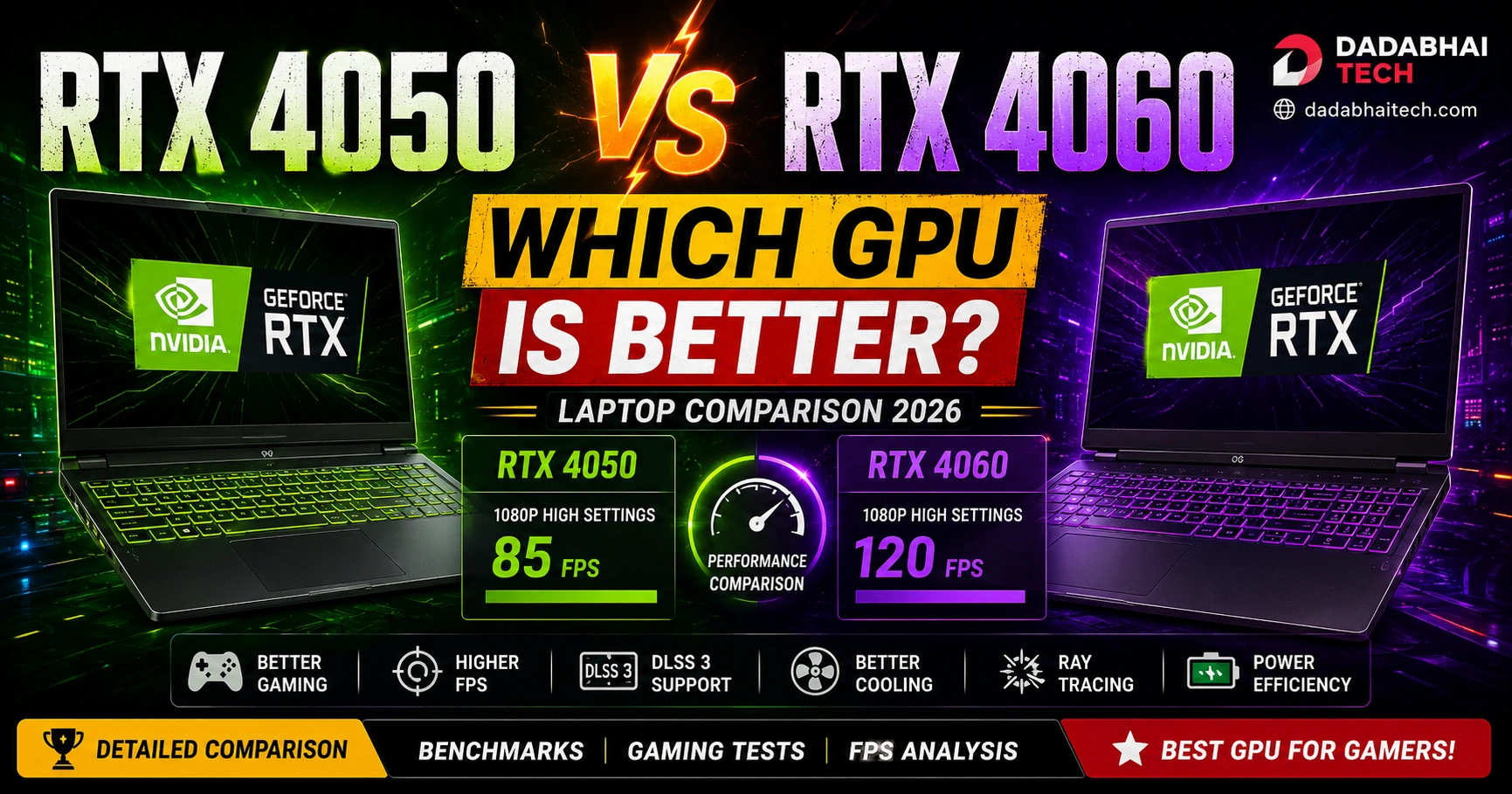
In this detailed RTX 4050 vs RTX 4060 laptop comparison, we will compare gaming performance, FPS, thermals, power efficiency, DLSS 3 support, ray tracing, content creation capabilities, and overall value for money to help you choose the best gaming laptop GPU in 2026.
This RTX 4050 vs RTX 4060 laptop comparison will help gamers choose the best GPU for gaming, streaming, and content creation in 2026.
If you are planning to buy a new gaming laptop this year, this guide will help you make the right decision.
Table of Contents
- RTX 4050 vs RTX 4060 Overview
- Specifications Comparison
- Gaming Performance Comparison
- DLSS 3 & Ray Tracing
- Cooling & Power Efficiency
- Content Creation Performance
- Battery Life Comparison
- RTX 4050 Pros & Cons
- RTX 4060 Pros & Cons
- Which GPU is Better for Gaming?
- Final Verdict
- FAQs
RTX 4050 vs RTX 4060 Overview
The NVIDIA RTX 4050 and RTX 4060 laptop GPUs are among the most popular gaming GPUs in budget and mid-range gaming laptops. Both graphics cards are based on NVIDIA’s Ada Lovelace architecture and support advanced technologies such as DLSS 3, ray tracing, AI frame generation, and improved power efficiency.
RTX 4050 laptops are generally more affordable and ideal for casual gamers, students, and esports players. On the other hand, RTX 4060 laptops offer noticeably better gaming performance, higher VRAM bandwidth, and better long-term gaming value.
For gamers planning to play AAA games at high settings for the next few years, RTX 4060 is usually the stronger choice.
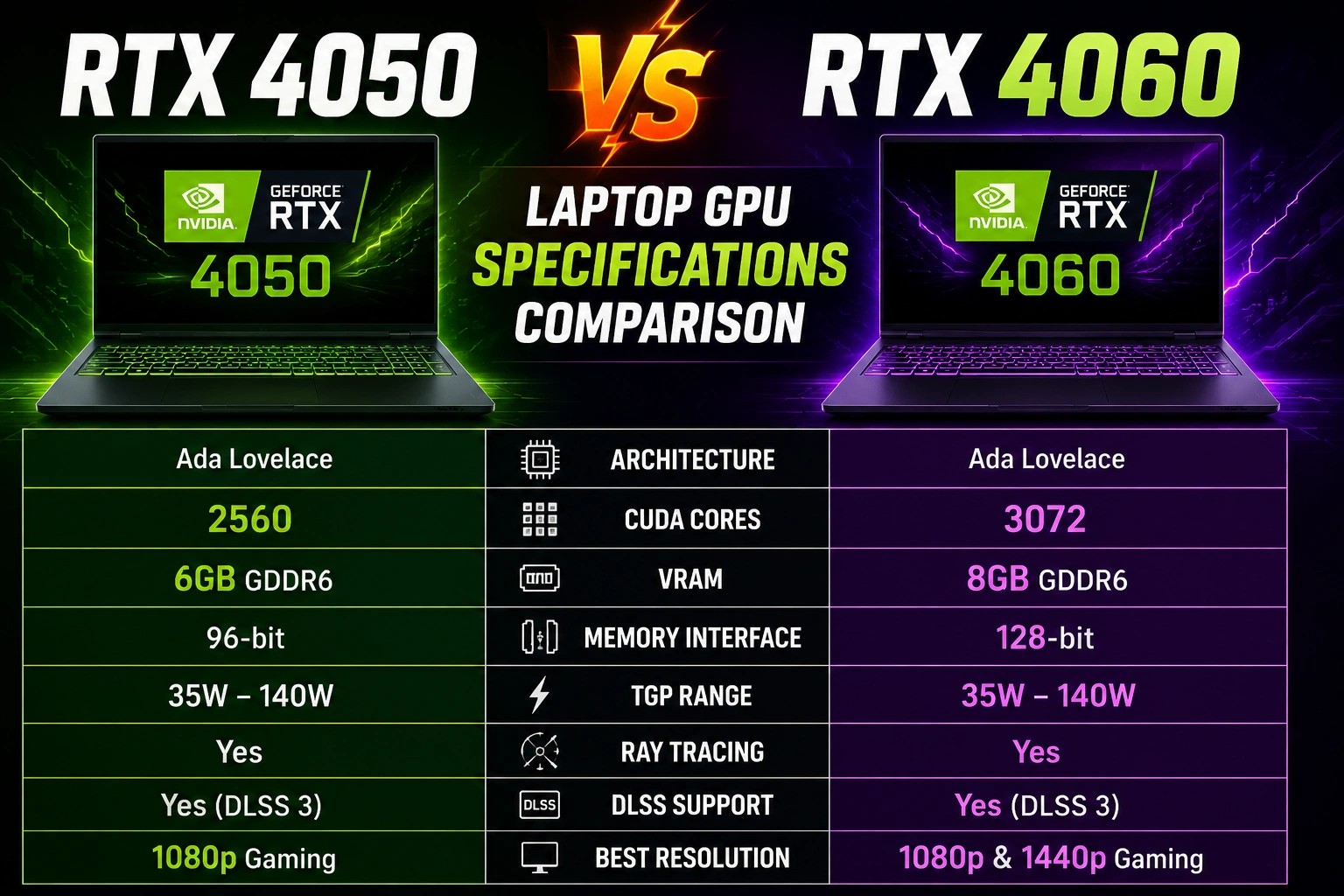
RTX 4050 vs RTX 4060 Specifications Comparison
| Feature | RTX 4050 Laptop GPU | RTX 4060 Laptop GPU |
|---|---|---|
| Architecture | Ada Lovelace | Ada Lovelace |
| CUDA Cores | 2560 | 3072 |
| VRAM | 6GB GDDR6 | 8GB GDDR6 |
| Ray Tracing | Yes | Yes |
| DLSS 3 | Supported | Supported |
| TGP Range | 35W–140W | 35W–140W |
| Best Resolution | 1080p Gaming | 1080p & 1440p Gaming |
The RTX 4060 clearly has more CUDA cores and additional VRAM, which improves gaming performance in modern AAA titles.
Gaming Performance Comparison
Gaming performance is the biggest reason why many users prefer RTX 4060 laptops over RTX 4050 laptops.
In esports titles such as Valorant, CS2, Apex Legends, and Fortnite, both GPUs perform extremely well at 1080p high refresh rate gaming. However, the RTX 4060 provides higher FPS stability and better future-proofing.
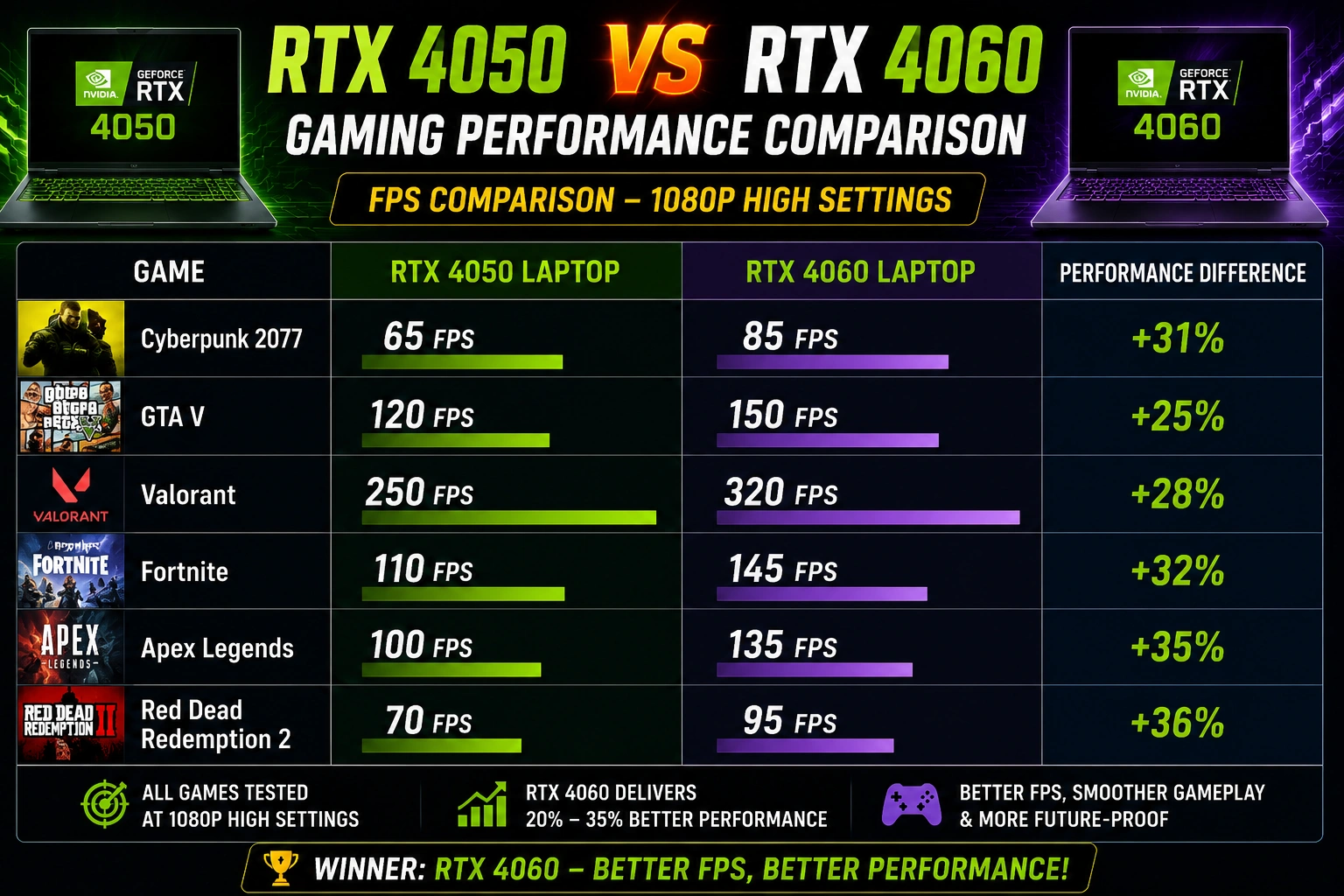
When comparing RTX 4050 vs RTX 4060 laptop gaming performance, the RTX 4060 clearly delivers higher FPS in AAA games.
In demanding AAA games such as Cyberpunk 2077, Hogwarts Legacy, Starfield, Alan Wake 2, and Red Dead Redemption 2, the RTX 4060 performs significantly better, especially at ultra settings.
Average FPS Difference
| Game | RTX 4050 | RTX 4060 |
| Cyberpunk 2077 | 65 FPS | 85 FPS |
| GTA V | 120 FPS | 150 FPS |
| Valorant | 250 FPS | 320 FPS |
| Fortnite | 110 FPS | 145 FPS |
| Apex Legends | 100 FPS | 135 FPS |
The RTX 4060 generally delivers around 20–35% better gaming performance compared to RTX 4050 laptops.
DLSS 3 & Ray Tracing
One of the biggest advantages of NVIDIA RTX GPUs is DLSS 3 support.
Both RTX 4050 and RTX 4060 laptops support:
- DLSS 3
- AI Frame Generation
- Ray Tracing
- NVIDIA Reflex
DLSS 3 significantly boosts FPS in supported games without sacrificing too much visual quality.
However, the RTX 4060 handles ray tracing much better due to its stronger GPU performance and additional VRAM.
If you want smoother ray tracing gameplay in modern games, RTX 4060 is the better choice.
Cooling & Power Efficiency
Modern gaming laptops have improved cooling systems, but thermals still matter a lot for gaming performance.
RTX 4050 laptops generally run cooler because the GPU consumes less power. This makes them ideal for thinner gaming laptops and budget-focused devices.
RTX 4060 laptops generate more heat but usually include better cooling systems in premium gaming laptops like:
- Lenovo LOQ
- ASUS TUF Gaming
- HP Omen
- Acer Nitro V
If cooling is good, RTX 4060 laptops can maintain stable FPS for longer gaming sessions.
Content Creation Performance
For creators, both GPUs perform well in applications like:
- Adobe Premiere Pro
- Blender
- DaVinci Resolve
- Photoshop
- After Effects
However, the RTX 4060 provides faster rendering performance and smoother editing experience in heavy workloads.
The additional VRAM also helps during:
- 4K editing
- 3D rendering
- AI workloads
- multitasking
If you are both a gamer and creator, RTX 4060 is a better long-term investment.
Battery Life Comparison
Gaming laptops are not known for excellent battery life, but efficiency still matters.
RTX 4050 laptops usually offer slightly better battery backup because they consume less power during gaming and daily tasks.
RTX 4060 laptops prioritize performance over efficiency, which can reduce battery life under heavy workloads.
For students and office users who travel frequently, RTX 4050 laptops may feel more power-efficient.
RTX 4050 Pros & Cons
Pros
- More affordable
- Better battery efficiency
- Great for esports gaming
- Lower temperatures
- Excellent for 1080p gaming
Cons
- Lower VRAM
- Weaker AAA gaming performance
- Less future-proof
RTX 4060 Pros & Cons
Pros
- Better gaming performance
- Higher FPS in AAA games
- Better ray tracing
- More future-proof
- Excellent for creators
Cons
- More expensive
- Higher power consumption
- Generates more heat
Which GPU is Better for Gaming?
If your budget is limited and you mainly play esports games like Valorant, CS2, and Fortnite, the RTX 4050 is still an excellent option in 2026.
However, if you want:
- better AAA gaming,
- higher FPS,
- improved ray tracing,
- better future-proofing,
- and stronger overall performance,
then RTX 4060 is clearly the superior gaming laptop GPU.
For most gamers buying a laptop for long-term use, RTX 4060 offers much better value.
Final Verdict
Both RTX 4050 and RTX 4060 gaming laptops are powerful options for gamers in India. The right choice depends mainly on your budget and gaming requirements. For most gamers, the RTX 4050 vs RTX 4060 laptop debate comes down to budget versus long-term gaming performance.
Choose RTX 4050 if:
- you want a budget gaming laptop,
- mainly play esports games,
- and prefer better battery efficiency.
Choose RTX 4060 if:
- you play AAA games,
- want better future-proofing,
- need stronger creator performance,
- and want higher FPS gaming.
In 2026, RTX 4060 laptops remain the best overall choice for serious gamers looking for performance and long-term value.
Related Guides
Useful Resources
FAQs
Is RTX 4060 much better than RTX 4050 laptop?
Yes, RTX 4060 laptops offer around 20–35% better gaming performance in most modern games.
Is RTX 4050 enough for gaming in 2026?
Yes, RTX 4050 is still excellent for 1080p gaming and esports titles.
Which GPU is better for AAA games?
RTX 4060 is better for AAA gaming because of its stronger performance and additional VRAM.
Is RTX 4060 future-proof?
RTX 4060 is more future-proof than RTX 4050 for upcoming AAA games.
Which laptop GPU is better for students?
RTX 4050 laptops are usually more affordable and battery efficient for students.